Why Inventory Systems Matter in Commercial Relocations
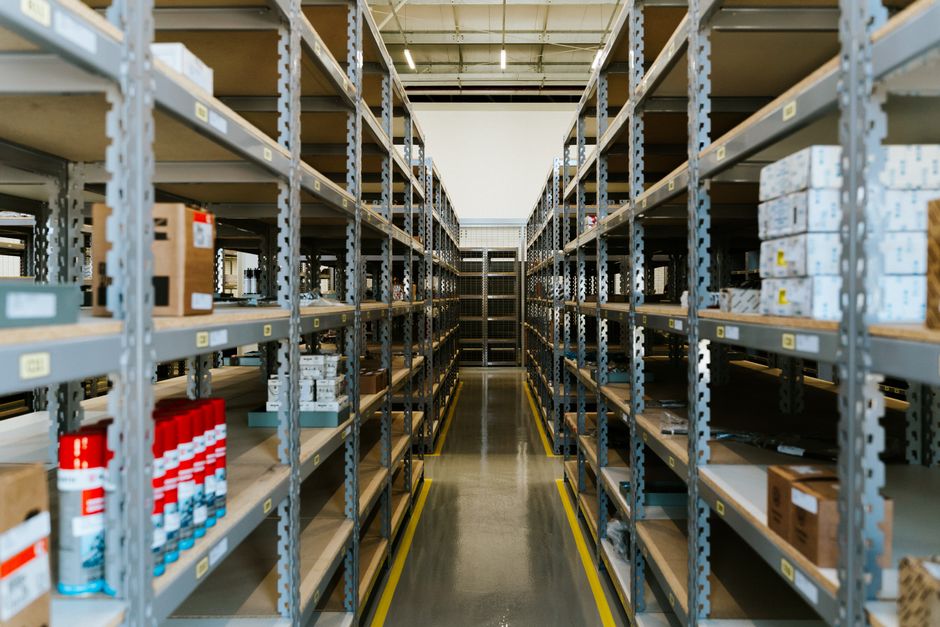
Commercial relocations can look straightforward from the outside: pack the desks, load the vans, move the files, set everything back up. In reality, the hard part is usually not the lifting. It is knowing what should move, where it should go, who owns it, and whether anything has gone missing in the middle of the chaos. That is exactly why inventory systems matter in commercial relocations. They turn a stressful, high-pressure move into something traceable, controllable, and far less likely to go sideways at 4:30 on a Friday afternoon.
If you have ever watched a team hunt for one marked box containing a server cable, a printer, and half a finance department's stationery, you will know the feeling. A proper inventory system saves time, protects assets, and gives everyone a clearer plan. In this guide, we will break down what it is, how it works, where it helps most, and how to use it well without making the process overly complicated.
Why inventory systems matter in commercial relocations
At the simplest level, an inventory system is a structured record of what you have, where it is, and what needs to happen to it during the relocation. That might include furniture, IT equipment, archive boxes, signage, confidential files, specialist kit, stock, and even the odd item that nobody remembers ordering but everyone claims to need. In commercial moves, that list can get long quickly.
The reason inventory systems matter is not just accuracy for accuracy's sake. Commercial relocations involve multiple people, multiple departments, and multiple deadlines. Without a central source of truth, information gets scattered. Someone in operations thinks a cabinet is moving to the new reception area. Someone in facilities thinks it is being sold. The removals team has already loaded it. Then the awkward phone calls begin.
That kind of confusion is expensive in ways that are not always obvious at first. There is the obvious risk of loss or damage, of course. But there is also downtime, delay, duplicate purchasing, confusion at the new site, and the quiet drag on staff morale when people cannot find basic things like monitors, chargers, or archived paperwork. Truth be told, the cost of poor tracking often shows up in frustration before it shows up on a spreadsheet.
A well-run inventory system also supports accountability. When items are tagged, listed, and assigned, people know what is expected. That can be especially useful in larger offices or multi-site operations where several teams are moving at once. It becomes easier to answer practical questions like: what is going into storage, what needs disposal, what belongs to which department, and what must be installed first on day one?
For businesses planning a larger move, services such as commercial moves and office relocation services are usually smoother when inventory is handled properly from the outset. In our experience, that early discipline makes the rest of the project calmer. Not perfect. Just calmer, which is a win.
How inventory systems work during a move
An effective inventory system usually starts before any boxes are sealed. First, the business identifies what is being moved, what is staying, and what is being disposed of or recycled. Then each item, group of items, or box is assigned a reference. That might be a simple number, a barcode, a colour code, a spreadsheet row, or a combination of these.
The basic principle is simple: one item, one identity, one destination. When the move starts, every tagged item should have a clear status. For example, a desk might be labelled Floor 2, Marketing, Desk 14. A box could be marked Accounts, Archive, Storage. A laptop may be listed separately with its serial number and the employee or department responsible for it.
As the move progresses, the inventory record is updated. Items are checked off when they are packed, loaded, delivered, and placed. If something is delayed or moved to storage instead of the new office, that change is recorded too. Nothing glamorous here. Just disciplined follow-through.
That follow-through matters because a relocation is not one event; it is a chain of small handovers. Items move from office user to packer, from packer to vehicle, from vehicle to destination, from destination to room or workstation. Every handover is a chance for confusion. An inventory system reduces those gaps by giving each handover a record.
Good systems can be digital or manual. Smaller moves may work fine with a well-built spreadsheet and printed labels. Larger, more complex moves often benefit from scanning tools, folder structures, or relocation management software. The best choice depends on scale, budget, and how much detail you genuinely need. More tech is not automatically better, by the way. Sometimes it just means a fancier way of making the same mistake.
Key benefits and practical advantages
Inventory systems are not just a nice administrative extra. They directly support a smoother relocation in ways that are easy to feel on the day and easier still to appreciate a week later, when the office is back to normal and nobody is standing in a corridor with a confused look and a roll of labels.
- Better asset protection: You know what has been moved, packed, or stored, which lowers the risk of loss and accidental mix-ups.
- Faster setup at the new site: Items can be delivered to the right room or department first, helping teams get back to work sooner.
- Clearer accountability: Staff, move coordinators, and removal crews can all refer to the same record.
- Less duplicate purchasing: If you can see that 12 monitors are already in transit, you are less likely to order 12 more.
- Reduced downtime: Critical equipment and essential records can be prioritised so operations restart with less disruption.
- Improved compliance and audit readiness: Accurate records help when items need to be tracked for security, retention, insurance, or disposal purposes.
One of the less talked about advantages is emotional, oddly enough. A move with clear inventory feels more under control. Staff tend to trust the process more when labels are visible and answers are easy to find. That calm matters. People work better when they are not guessing where their things have gone.
It also helps when you are arranging support services such as packing and unpacking services because the packers can work from a clear list rather than from vague instructions shouted across a busy office floor. No one enjoys the old "I thought that was going with finance" conversation.
Who this is for and when it makes sense
Inventory systems are useful for almost any commercial relocation, but they become especially important when the move involves multiple teams, sensitive materials, high-value equipment, or a phased transition. If your business has a reception area, an archive room, IT kit, meeting furniture, storage rooms, or specialist equipment, inventory is not optional in the practical sense. It is the backbone of the move.
This approach makes sense for:
- office relocations with several departments
- businesses moving into a smaller or larger premises
- companies with confidential records or regulated data
- firms relocating stock, tools, or operational equipment
- businesses moving in stages rather than all at once
- companies storing items temporarily during a gap between sites
Smaller teams can still benefit, especially if the move includes a server cabinet, filing systems, or shared equipment that nobody wants to lose for even a day. A small office can be surprisingly chaotic once half the team is remote, the phones are being rerouted, and the kettle has disappeared.
If the relocation also requires vehicle planning, it is worth thinking about the wider logistics too. A moving truck or removal truck hire may be the right fit for heavier or bulkier items, but the vehicle choice becomes much more effective when the load is already organised by inventory.
Step-by-step guidance
Here is a practical way to build an inventory process that works in the real world, not just on paper.
- Set the scope. Decide what will be inventoried. For most commercial moves, that means furniture, IT, files, appliances, stock, and any high-value or sensitive items.
- Assign ownership. Each department should confirm what belongs to them. This reduces the classic "who approved this?" confusion.
- Choose your tracking method. Use a spreadsheet, a shared database, label sheets, or move software. Keep it simple enough that people will actually use it.
- Label consistently. Every box and asset should have a clear reference. Room destination, department, item category, and priority level are usually enough.
- Tag critical items separately. Servers, backups, legal files, POS equipment, and anything essential for day-one operations should be highlighted.
- Confirm disposal and recycling. Unwanted furniture or outdated kit should be identified early so it does not sneak into the move by mistake.
- Reconcile at each stage. Check items off as packed, loaded, delivered, and installed. If something is missing, you want to know early, not after the van has gone.
- Do a post-move audit. Walk through the inventory once the dust settles and make sure the record matches reality.
A useful habit is to separate the inventory into three buckets: move, store, dispose. It sounds basic, but it prevents a lot of waste and double handling. Some businesses even add a fourth bucket for items awaiting decision, which is fair enough if you have a management team that likes to deliberate until the room goes quiet.
If you are clearing out surplus furniture as part of the relocation, you may also find furniture pick up and recycling and sustainability useful as part of the wider planning process.
Expert tips for better results
Small improvements make a big difference here. The following tips come from the sort of practical issues that tend to appear on move day, usually at the worst possible moment.
- Use plain language on labels. "Boardroom south wall cabinet" is better than "Cabinet 7B" if the team on the day will not recognise the code.
- Keep one master record. Multiple spreadsheets sound harmless until nobody knows which version is current.
- Prioritise the first 48 hours. Not every item needs to arrive first. Focus on what the business needs to function quickly.
- Photograph unusual items. This is helpful for complex furniture, delicate kit, or anything that is easy to assemble incorrectly.
- Build in a buffer. In a commercial relocation, something nearly always takes longer than planned. That is not pessimism. It is experience.
- Brief the mover properly. A removal team can work far more efficiently when they know which items are fragile, confidential, heavy, or needed immediately.
One often overlooked point: the inventory should reflect how the destination actually works. If a team is moving to hot-desking, the old seat-by-seat layout no longer helps much. If the new office uses a different department structure, keep that in mind. The list should match the real workplace, not the one everyone remembers from last quarter.
For businesses that want a more guided relocation, support from commercial moves specialists can help align the inventory with the wider move schedule, so packing, transport, and delivery all stay in sync.
Common mistakes to avoid
Even well-run moves can go wrong when the inventory plan is treated as an afterthought. These are the mistakes that tend to cause the most pain.
- Starting too late: If the inventory begins the week before the move, the team is already behind.
- Mixing personal and business items: It creates confusion and can lead to avoidable loss or privacy issues.
- Using vague labels: "Misc box" is not useful. Nobody can unpack a mystery.
- Forgetting shared assets: Printers, docks, chargers, and spare monitors often get overlooked because everyone assumes someone else listed them.
- Ignoring disposal items: If old furniture or redundant kit is not removed from the plan, it wastes transport space and time.
- Not checking the destination layout: A perfect inventory still fails if the receiving site is not ready for the items coming in.
There is also a softer mistake: making the system so complicated that people avoid using it. If your team needs a training manual just to label a box, the process is too heavy. Keep it practical. Keep it human. A little structure beats a lot of bureaucracy.
Tools, resources and recommendations
You do not necessarily need expensive software to make an inventory system work. For many commercial relocations, the best tools are the ones the team will actually use consistently.
| Method | Best for | Strengths | Limitations |
|---|---|---|---|
| Spreadsheet | Small to mid-sized office moves | Simple, familiar, easy to update | Can become messy if too many people edit it |
| Barcode or QR labels | Larger or asset-heavy relocations | Fast scanning, better traceability | Needs equipment and a clear process |
| Relocation management software | Complex multi-site moves | Strong visibility, reporting, coordination | More setup and usually more cost |
| Manual paper checklists | Very small moves or backup tracking | Low tech, quick to deploy | Easy to misplace and harder to audit |
A sensible recommendation is to use a spreadsheet as the master record, then support it with physical labels and room plans. That combination is boring in the best possible way. Reliable. Understandable. Easy to hand over.
It can also help to line up vehicle and labour planning early. If your move involves heavy or awkward items, a dedicated man and van or man with van option may be suitable for smaller loads, while larger, structured relocations often need a broader transport plan. The inventory tells you what those choices should be.
Law, compliance, standards and best practice
Inventory systems in commercial relocations are not usually about one single rule. They are more about good practice across several areas: duty of care, data protection, health and safety, insurance requirements, and internal governance. The exact obligations will depend on your business, the items involved, and how sensitive the move is.
For example, if the inventory includes personal data in paper files or devices containing customer or employee information, you should treat those items carefully and keep access controlled. Confidential records should not be left on open trolleys with no sign-off process. That is just common sense, but it is the kind of common sense that gets forgotten when people are rushing.
Likewise, if you are moving heavy furniture or equipment, inventory should work alongside safe lifting and handling practices. It helps teams identify awkward loads in advance, which in turn supports better planning for the people doing the physical work. Safety and organisation usually travel together.
In the UK, good practice also means checking your mover's insurance and safety arrangements before the relocation begins. If you are unsure how liability, coverage, or handling procedures work, it is sensible to review insurance and safety information before moving day. If a provider has a clear health and safety policy, that is a reassuring sign too.
To be fair, compliance is not the exciting part of relocation planning. But it is the part that protects you when things get complicated. And in a move, things often do get complicated, if only for a little while.
Options, methods and comparison table
Different businesses need different levels of inventory control. Here is a practical comparison of the most common approaches.
| Approach | Best fit | Pros | Cons |
|---|---|---|---|
| Basic spreadsheet plus labels | Small offices and straightforward relocations | Affordable, quick to implement, easy to understand | Less robust for complex moves |
| Spreadsheet plus QR/barcode tracking | Medium-sized businesses with more assets | Better traceability and faster checking | Needs setup and consistent scanning discipline |
| Dedicated relocation software | Large-scale, multi-floor or multi-site projects | Good reporting, coordination, and visibility | Can be overkill for small moves |
| Outsourced move management | Businesses that want less in-house coordination | Reduces internal workload and centralises responsibility | Requires a clear brief and trust in the provider |
If your move is relatively small, there is no shame in keeping it simple. If your business has multiple teams, storerooms, secure items, and a tight transition window, a more advanced approach may be worth the extra effort. The real question is not "what is the fanciest system?" It is "what will keep the move controlled from start to finish?"
Case study or real-world example
Imagine a mid-sized consultancy moving from a shared office into a larger premises across town. Nothing dramatic. No warehouse forklifts or exotic machinery. Just a lot of small things that matter: laptops, dual monitors, filing cabinets, sample folders, meeting chairs, a reception desk, a handful of plants, and a room full of chargers that somehow all look identical.
Without an inventory system, the move team would likely pack room by room and hope for the best. But with an inventory plan in place, the business breaks the move into categories. IT equipment is tagged separately. Client files are boxed and assigned to a secure destination. Boardroom furniture is listed as a separate delivery group. Anything no longer needed is identified early, which saves truck space.
On move day, this kind of structure makes the difference between a frantic scramble and a controlled sequence. The reception desk arrives first. The IT kit is checked off and held for installation. Filing boxes go directly to the secure room. Staff arrive the next morning and find the essentials where they expect them. Not perfect, but properly managed. And that is what a good move looks like.
If the consultancy had also booked packing and unpacking services, the inventory sheet would give the packing team a much clearer brief. If it had surplus desks or chairs to remove, furniture pick up could be integrated into the overall plan instead of becoming a last-minute headache.
Practical checklist
Use this checklist as a simple pre-move sanity check. It is not fancy, but it helps.
- Confirm the full move scope, including storage and disposal items.
- Assign a single owner for the master inventory record.
- Separate critical items from non-essential items.
- Label every box, asset, and shared item clearly.
- Note destination room or department for each item.
- Record serial numbers for valuable or sensitive equipment.
- Mark items that must be installed first after arrival.
- Check insurance and safety expectations before moving day.
- Brief staff on what they should pack, keep, or hand over.
- Verify the inventory again after delivery and setup.
If you can tick these off before the lorries arrive, you are in good shape. Honestly, that little bit of preparation saves more stress than people expect.
Get a free quote today and see how much you can save.
Conclusion
Inventory systems matter in commercial relocations because they bring order to a process that naturally creates noise, movement, and uncertainty. They protect assets, reduce downtime, support compliance, and help people settle into the new workplace more quickly. More importantly, they give the business a clear picture of what is moving, where it is going, and what needs to happen next.
The best systems are not the most complicated. They are the ones that are clear, consistent, and actually used. If you are planning a commercial move, start with the inventory before the packing starts, not after. You will notice the difference almost immediately. Fewer questions. Fewer surprises. Less chasing around with a clipboard that has somehow gone missing.
And when the last box is in place and the office finally sounds like an office again, that quiet sense of control is worth a lot.
Frequently Asked Questions
What is an inventory system in a commercial relocation?
It is a structured way of recording every item involved in the move, along with its destination, status, and any special handling needs. In practice, it can be as simple as a spreadsheet with labels or as detailed as relocation software with scans and reports.
Why do inventory systems matter so much in office moves?
Because office moves involve a lot of moving parts: furniture, IT, files, shared equipment, and staff expectations. Inventory helps prevent loss, reduces confusion, and makes it easier to set up the new workplace in the right order.
Do small businesses really need an inventory for a move?
Yes, if they have more than a few items or any equipment they cannot afford to misplace. Even a small office can benefit from a simple list, especially when there are monitors, files, and shared devices involved.
Is a spreadsheet enough for commercial relocation inventory?
For many smaller or mid-sized moves, yes. A well-organised spreadsheet can work very well if it is kept up to date and paired with clear labels. Larger moves may need more robust tracking.
What should be included in a move inventory?
Typically, furniture, IT equipment, boxes, files, speciality items, storage items, and anything being disposed of or recycled. For valuable assets, serial numbers and destination notes are also useful.
How early should inventory planning start?
As early as possible. Ideally, inventory planning begins before packing schedules are fixed. Waiting until the last week tends to create rushed decisions and missed items.
How do inventory systems help with compliance?
They support better control of confidential records, sensitive equipment, and safe handling processes. They also help with internal accountability and can make insurance discussions clearer if something goes wrong.
What is the biggest mistake businesses make with inventory during relocation?
The most common mistake is treating inventory as an admin task rather than a core move activity. Once that happens, labels get vague, items get mixed, and people spend the next day trying to work out where things went.
Can inventory systems help reduce relocation costs?
Yes, indirectly. Better tracking reduces duplicate purchases, missed items, unnecessary transport, and downtime. It also helps you avoid paying people to deal with problems that should never have happened.
Should unwanted items be put into the inventory too?
They should, but clearly marked as disposal or recycling items rather than move items. That avoids wasted vehicle space and keeps the relocation list accurate. It also helps with planning for services like furniture removal or recycling.
How do I know if my business needs a more advanced inventory method?
If the move involves multiple departments, sensitive information, high-value assets, or phased deliveries, a more advanced method is usually worth considering. If the office is very small and simple, a well-managed spreadsheet may be enough.
What should happen after the move inventory is complete?
Run a post-move check. Compare the delivered items against the master list, flag anything missing or damaged, and update the record once setup is complete. That final check is where a lot of small issues get caught before they turn into bigger ones.